
Windows · works offline · Urdu & English
A bill in seconds, even in the rush.
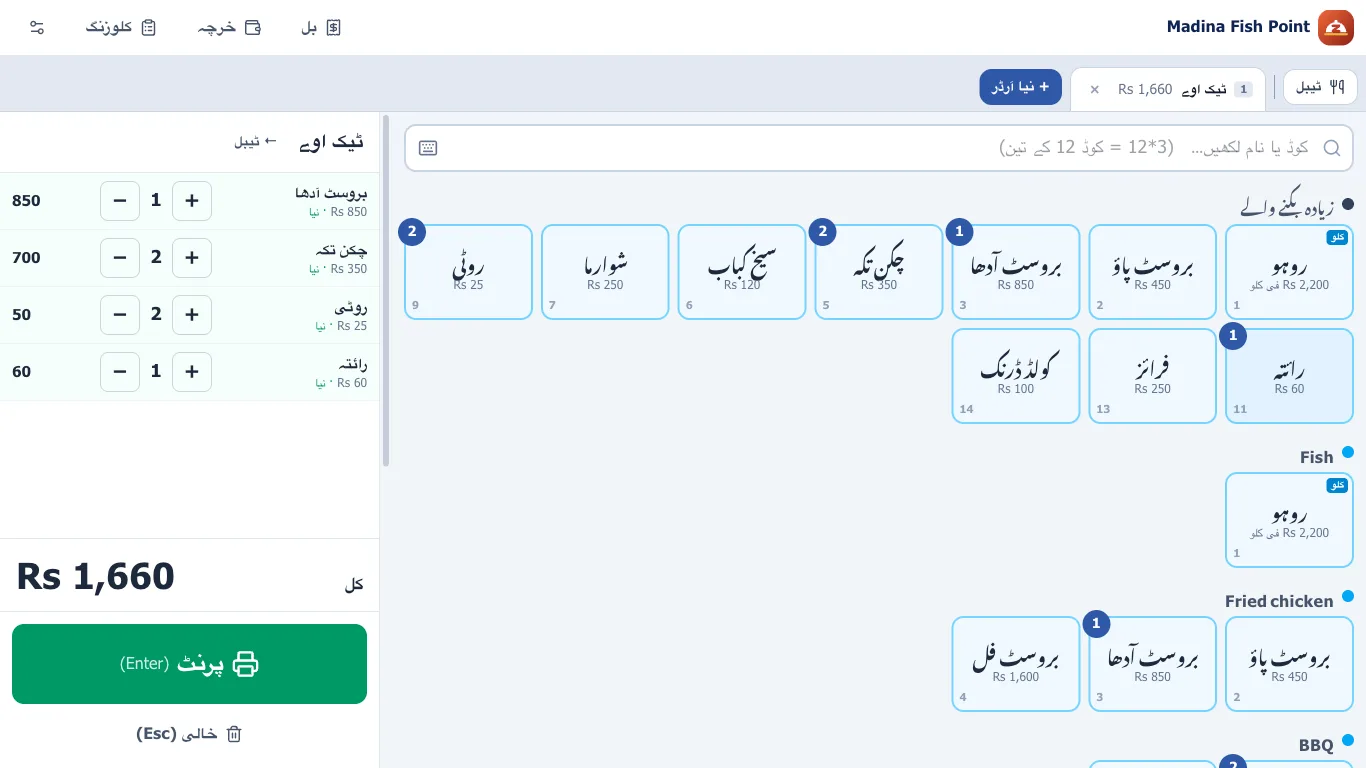
Zevox Restaurant makes a bill in a few taps: takeaway, tables and delivery, fish by weight from the scale, per head for tables, the kitchen slip and the customer bill — on a Windows PC, offline, in Urdu or English.
- Free trial key
- No internet after the first start
- Your data stays on your PC
Built at a real counter
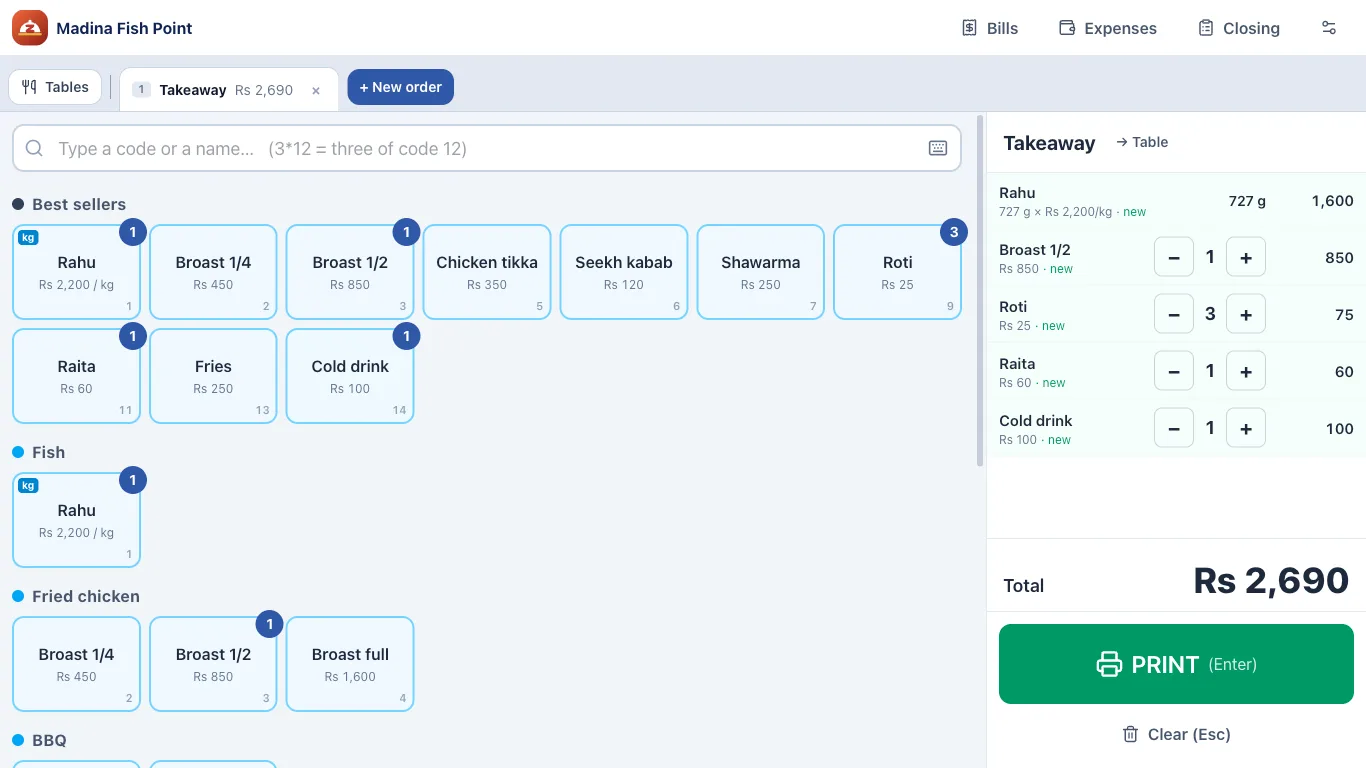
Everything a busy counter does, without the waiting
Made with a fish & tikka shop where a slip used to take longer on the computer than by hand. Not any more.
Fish by weight
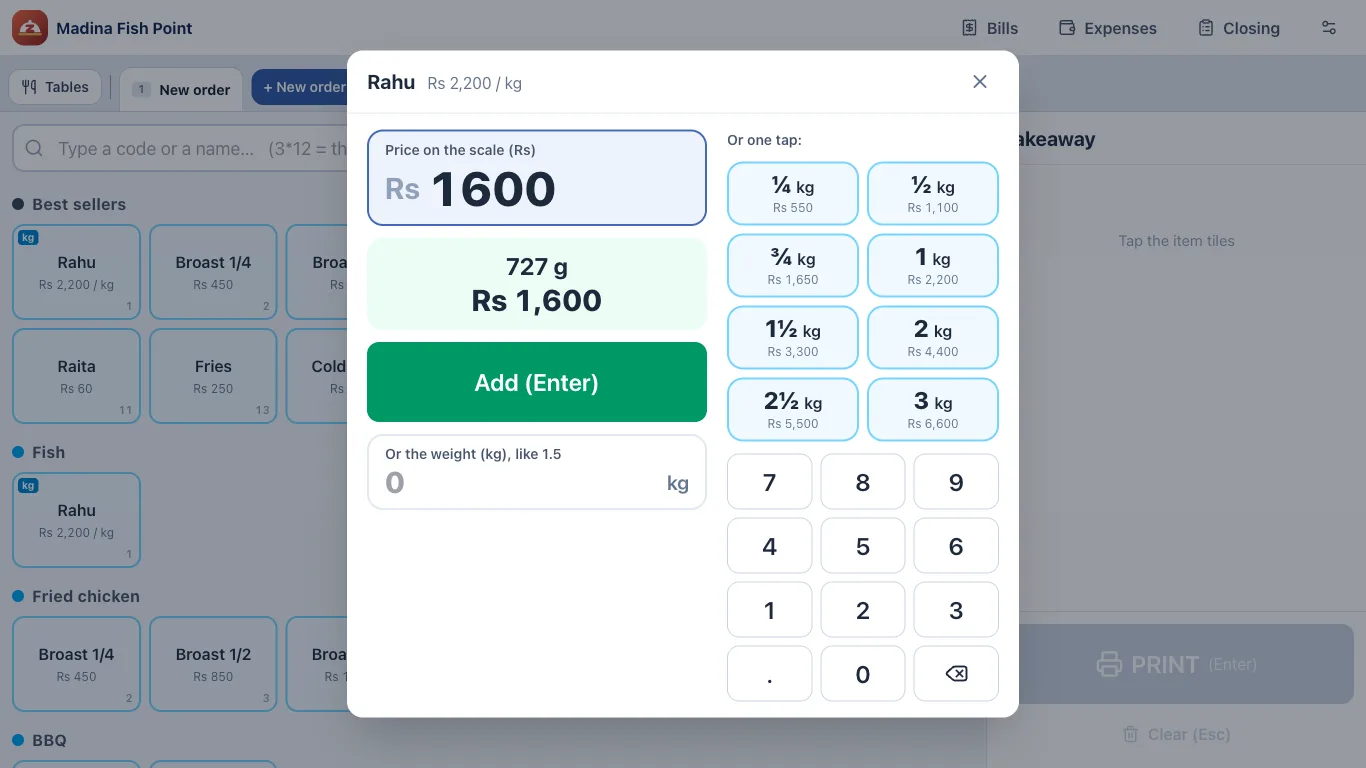
Type what the scale shows
The cursor is already in the price box. Type the amount the scale shows and press Enter — the weight is worked out and printed on the bill.
- Or type the weight, like 1.5 kg
- One tap for ¼, ½, 1, 2 kg
- Any rate per kg for each fish
Tables
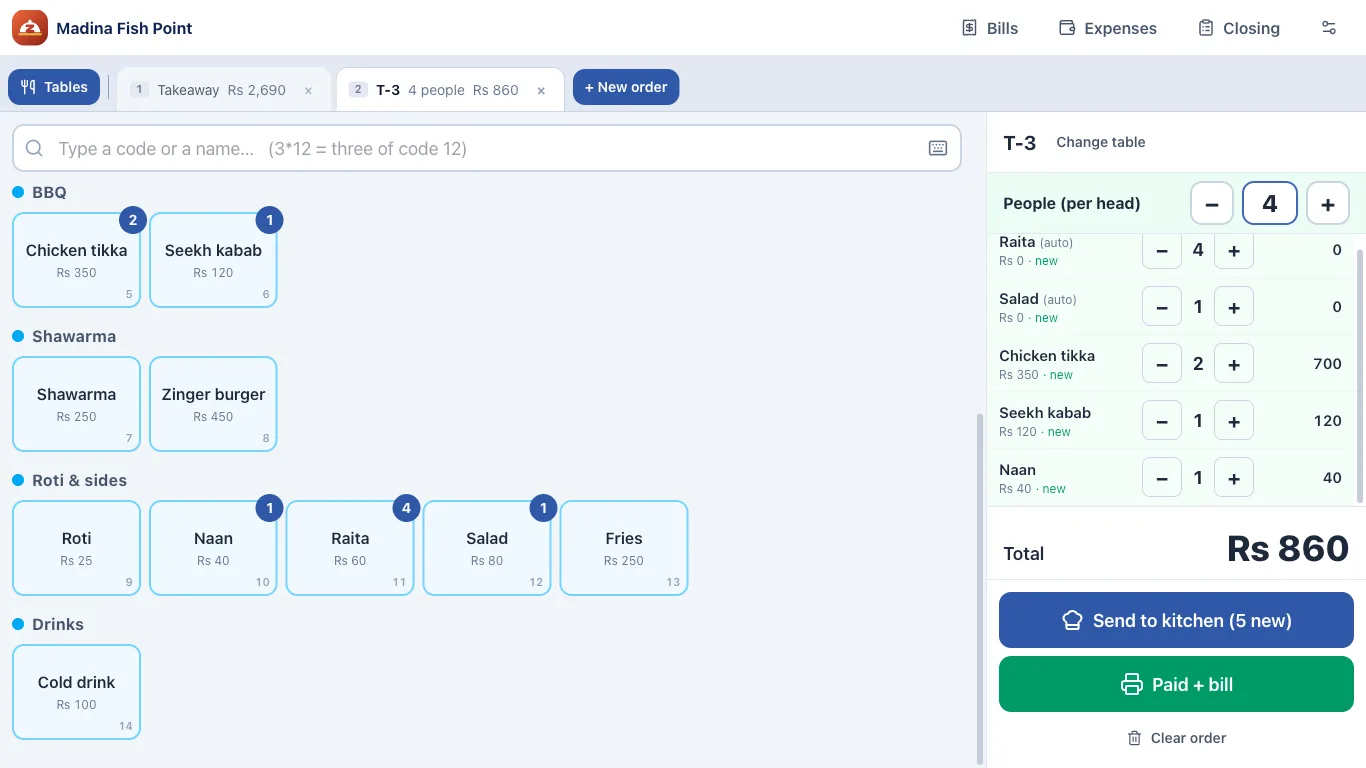
Per head goes on by itself
Pick the table and how many people. Roti, raita and chutney for each person go on the bill; change the number with + and − any time.
- Send to kitchen, then Paid + bill
- Move an order to another table
- Several tables and takeaways open at once
اردو
Fully in Urdu — or English
The counter, the bill and the kitchen slip in Urdu, right to left, with the item names your cashier knows. Switch to English in Settings.
- Urdu and English names for every item
- Shop name and address on the bill
- Easy screen for a new cashier
What it does
Takeaway, tables, delivery
Several orders open at once as tabs, like a browser. A customer still thinking? Start the next one.
Fish by weight
Type the price the scale shows; the weight is worked out and printed on the bill. Or tap ¼, ½, 1 kg.
Per head on tables
Roti, raita and chutney for each person go on the table’s bill by themselves. Refills are separate items.
Kitchen slips
Each station (BBQ, fryer, tandoor, kitchen) gets its own slip. More items later print only what is new.
Made for the rush
Item codes and Enter, arrow keys, F-keys — like the old counter software. A mouse is never needed.
Thermal printer
The bill prints straight to the 80 mm or 58 mm printer, no dialog. Without a printer it is saved as a PDF.
Urdu or English
The whole screen, the bill and the kitchen slip in the language the counter uses.
Owner PIN and records
Discounts, cancels and rate changes need the owner’s PIN, and every change is kept in a record.
No internet needed
Everything is on the counter PC with automatic backups every hour, and a copy to USB if you want.
How to start
Three steps, about five minutes
- 1
Download for Windows
Install it on the counter PC or laptop. Windows 10 or 11.
- 2
Get your key from us
Send us a WhatsApp message (0329-4692292). We set up a trial for your restaurant and send you the key.
- 3
Type the key once
With the internet on, only this first time. After that the counter works offline.
Questions
Does it need internet?+
Only once, when the key is typed in. After that bills, slips and reports all work without internet. When the internet is there, the app checks its licence by itself.
Which computer does it run on?+
Any Windows 10 or 11 PC or laptop. A touch screen works too. A thermal printer is recommended but not required.
Is there a free trial?+
Yes. Message us and we give your restaurant a trial key. If you like it, we change it to a full licence — nothing to reinstall, and your data stays.
Can it hold our own menu and rates?+
Yes. Categories, items, codes, rates by piece or by kg, per head rules and tables are all set by the owner. A ready fish & BBQ menu is there to start from.
What happens to our data?+
It stays on your computer. The app makes a backup every hour and every day, and can copy it to a USB drive. If a licence ends, nothing is deleted.

Try it at your counter
Download it, then send us a message for your trial key. We help with the menu, the printer and the first day.
Windows 10 / 11 · about 110 MB · Windows may ask “More info → Run anyway” the first time.